Who a blank invoice template suits
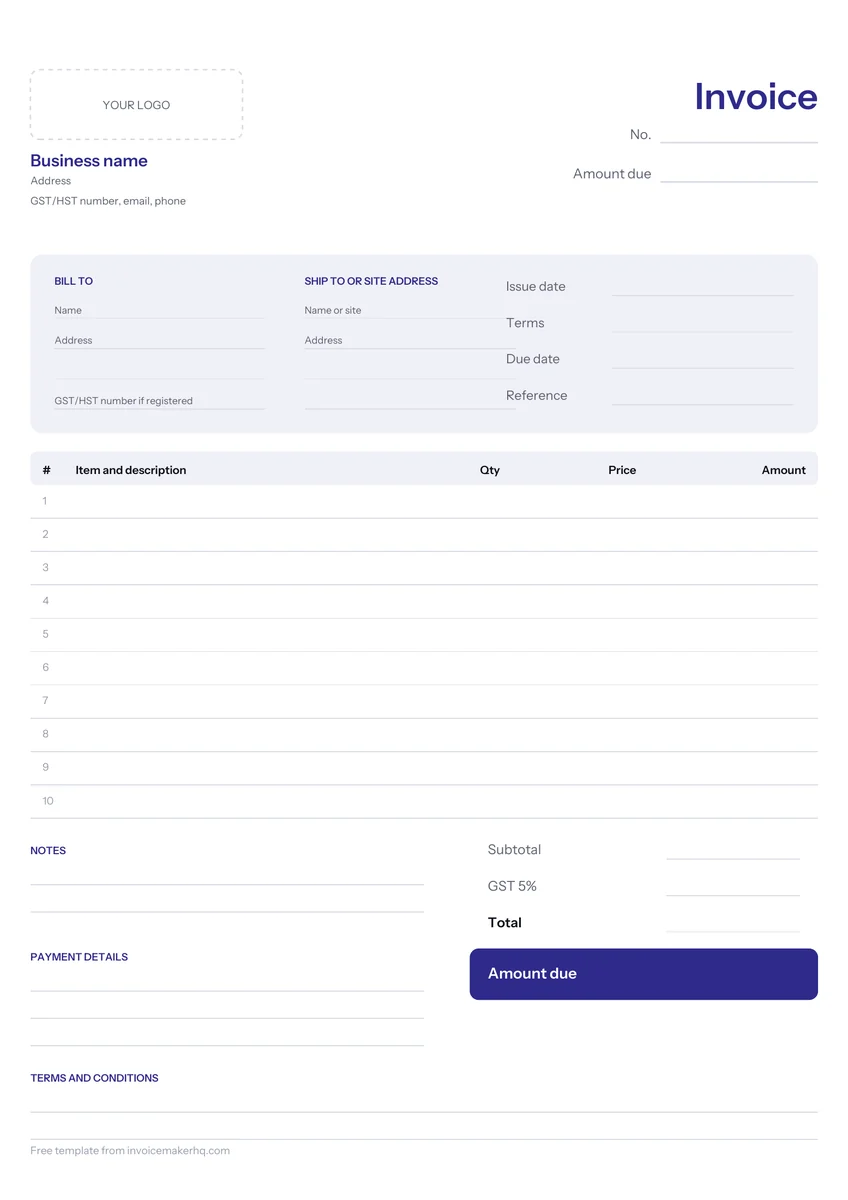
An empty form is for people who want structure without someone else’s example getting in the way. Tradespeople who write bills on site, market stallholders, people who invoice a few times a year and small offices keeping a printed pad by the till all use one.
What the empty form includes and leaves out
It includes every heading a normal invoice needs, with space underneath to write. It leaves out anything specific to one business, so it works for a plumber and a translator alike. The trade off is that you have to remember to fill in the parts a pre-filled sample would have reminded you about.
| Included, ready to fill | Left out, add yourself |
|---|---|
| From and Bill to boxes | Your logo and business name |
| Invoice number, date and due date | A numbering format |
| Ruled rows for description, quantity, price, amount | Line items and prices |
| Subtotal, tax and total boxes | The tax name and rate |
| Payment details and notes area | Your terms and bank details |
How to fill it in, box by box
Work from top to bottom and fill every box, even the ones that feel obvious. A missing date or number is an easy reason for a customer to send a handwritten bill back. Write in dark ink, and keep the same order every time so copies are easy to file.
- Write your business name, contact details and any tax registration number.
- Add the customer’s name and address under Bill to.
- Give the invoice the next number in your series, then the issue date and a due date.
- List each item on its own row: what it was, how many, the price each and the row amount.
- Add the rows for a subtotal, then the tax with its name and rate, then the total.
- Finish with how to pay, such as e-transfer details, and any short note.
Writing GST/HST on a Canadian form by hand
On a handwritten Canadian bill, the tax box is where gaps usually appear. Write the tax name and rate, for instance “GST 5%” in Alberta, then the dollar amount, or note that the total includes GST/HST. In HST provinces, the CRA wants the combined HST rate, not separate federal and provincial figures.
Business customers claiming input tax credits need more as the bill grows. From $100, the CRA expects your GST/HST registration number on the document; from $500, also the buyer’s name, a brief description and the payment terms. That number is the 9 digit business number, RT, then 4 digits, as in 123456789 RT0001. The example bike repair bill loaded in the editor, $286.00, adds $14.30 GST for $300.30.
Printing, scanning and sending a blank form
Download the PDF, choose Letter or A4 to match your paper, and print a stack. When you fill one in, keep a copy for your records before you hand over or post the original. Photocopy or photograph it, so every number in the series is accounted for.
- To email a handwritten bill, scan it with your phone into a single PDF page rather than sending a photo.
- Spoiled a form? Write VOID across it and keep it, so the number is not missing.
Design choices that matter on an empty form
A handwritten form needs different choices from a typed one. Boxes must be tall enough for handwriting, lines light enough to write over, and the totals placed where a reader looks first. The blank version here opens in the Minimal design, which keeps the page plain.
- Row count: about ten rows fits most small jobs on one page.
- Box height: roomy enough for a pen, not just for type.
- Totals at the bottom right: where the customer’s eye lands.
- A blank tax label: so you can write GST, HST, VAT or sales tax.
Prefer typing? Fill in the same form online
The blank form in the invoice generator opens the same empty layout in your browser. Type into each box, and the totals and tax work themselves out, then download a PDF or print. Your draft saves in this browser as you go, and nothing is sent to us unless you choose Email me.
The simple invoice template adds example wording, and the printable invoice template is tuned for paper. Check our list of what to include on an invoice, or browse every design on the invoice templates page.
Fill it in on screen and download or email a real PDF. No sign up.